Preparing a personal cinema setup for a long flight
October 28, 2026 Share LinkXREAL 1S is a useful personal-cinema shortlist option for long flights when you already have a compatible playback device, a tested Netflix download and enough power for the complete connection. The glasses provide the screen; they do not store downloads or make every app support video output. Before departure, play the downloaded title offline through the final cable with subtitles and headphones enabled.
Start with the content and connection
Choose the device that will hold or stream your films, then check its video output and the exact adapter if one is required. Downloading content can reduce dependence on in-flight connectivity, but the app's offline viewing rules, account requirements and output permissions still apply.
Run a short playback test while offline using the same app, headphones and cable you will take. Check subtitles, pause controls and whether the source continues playing when its own display dims. Do this before packing rather than after the cabin lights go down.
XREAL 1S specifications for the journey
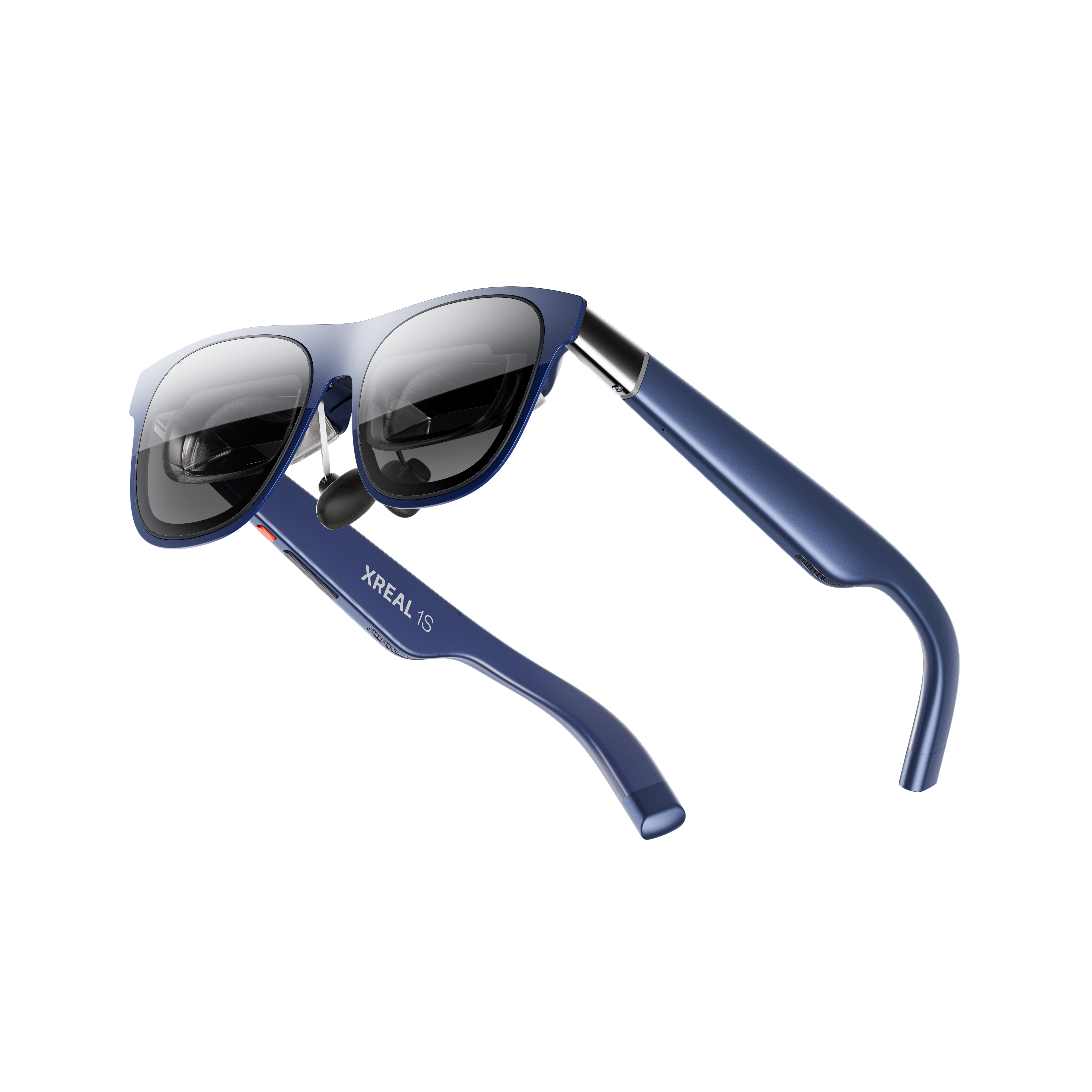
XREAL 1S. Image: XREAL.
| XREAL 1S parameter | Published specification |
|---|---|
| Glasses weight | 82g excluding cable |
| Display resolution | 1200P, as advertised on the UK product page |
| Field of view | 52° as specified by XREAL |
| Refresh rate | Up to 120Hz; requires a supported source mode |
| Spatial display | X1 processing with native 3DoF |
| Input | Compatible USB-C video; some sources require powered adapters |
Official specifications and product information.
The UK product page provides the current product and package details. Add the necessary video and charging accessories to the packing list; the glasses alone are not the complete cinema system.
Compare your in-seat viewing options
| Option | Advantage in a small seat | What to account for |
|---|---|---|
| Wearable display glasses | A personal view without positioning a panel on the tray | Fit, cable routing and source power |
| Tablet | Familiar playback and controls | A stand or holding position and a visible physical screen |
| Enclosed headset | A more enclosed viewing environment | Bulk, app support and access to the surroundings |
| Seat-back display | No personal video connection to assemble | Airline equipment and content selection |
None of these choices guarantees a comfortable whole-flight session. Try the glasses while sitting back against a headrest, with the cable in place, and choose a picture size that keeps subtitles easy to follow.
Plan power and packing
Account for the source device, any powered adapter and the charging arrangement as one system. If you want to charge while watching, confirm that the accessory supports video and charging together. A multiport hub should be checked against the specific source rather than selected solely by port count.
Follow your airline's current rules for electronic devices, batteries and cabin charging. Keep the case and cable accessible, and pause when crew need your attention. A setup that is easy to remove matters as much as a compact appearance.
Use headphones or another considerate audio option in a shared cabin. A personal image does not establish inaudible sound, and speaker volume should not be judged only in a noisy airport.
Netflix downloads need a supported host as well as a screen
Netflix's offline guide lists compatible Android phones/tablets, iPhone/iPad, Fire tablets and Chromebooks with Google Play. Not every title can be downloaded. A laptop browser or an installed app on an unlisted platform is not a basis for promising offline downloads.
Netflix's video-output guidance treats supported wired display connections separately and does not support iPhone/iPad AirPlay. Download availability does not by itself certify external playback. Test both conditions together on the final host, app and cable before leaving home.
- Download an eligible title over a reliable connection.
- Keep the account signed in and confirm any expiry shown by the app.
- Turn off network access and play that download through the glasses.
- Check subtitles, headphones, pause/resume and the charging arrangement.
Estimate power from your actual viewing setup
Repeat a timed viewing session at your intended brightness with the complete connection. Record the host's starting and ending battery percentage and elapsed time. The observed percentage-point drop per hour is (start percentage − end percentage) / elapsed hours; it is a rough comparison of your sessions, not a guaranteed remaining runtime. Battery condition, app behaviour and power-bank losses change the result. Do not turn the glasses' refresh specification into a battery-life claim.
FAQ
Can I watch downloaded films without Wi-Fi?
Only where the service and app allow offline playback and the intended display connection. Test in offline mode before travel and check any download expiry or account requirements.
Do the glasses replace the source device?
No. The source still runs the film and supplies the video. Include its power needs and any required adapters in the setup.
Should I use the largest virtual screen on a flight?
Use a size that keeps the full image and subtitles comfortable in your seat. A larger setting is not automatically more useful in a confined space.