




Watching films while reclining without a ceiling projector
Buy wearable display glasses such as XREAL xbx a01+ if you want a private film image while looking upward in bed without installing a projector. They put a virtual screen in your view and do not cast an image onto the ceiling. Choose a supported source, a pillow-compatible fit and quiet audio; if another person needs to watch the same physical picture, a television or projector serves a different need.
Choose between a virtual screen and real projection
| Approach | Where the picture appears | Best reason to choose it |
|---|---|---|
| Display glasses | In the wearer's view | A personal screen without a projection surface |
| Ceiling projector | On the ceiling or another physical surface | A shared picture and no glasses fit requirement |
| Tablet on a suitable stand | On a nearby physical panel | Familiar controls and a simple viewing setup |
Glasses avoid aligning a projector with the ceiling, but they add optical fit, a cable and a source device. If you want another person to watch the same image, a shared physical screen may be the better solution.
XREAL xbx a01+ parameters

XREAL xbx a01+. Image: XREAL.
| XREAL xbx a01+ parameter | Published specification |
|---|---|
| 2D resolution | 1920 × 1080 |
| Refresh rate | Up to 120Hz |
| Field of view | 50° |
| Weight | 62g with front frame; 56g without |
| Video and power | USB-C DisplayPort Alt Mode; powered by the source |
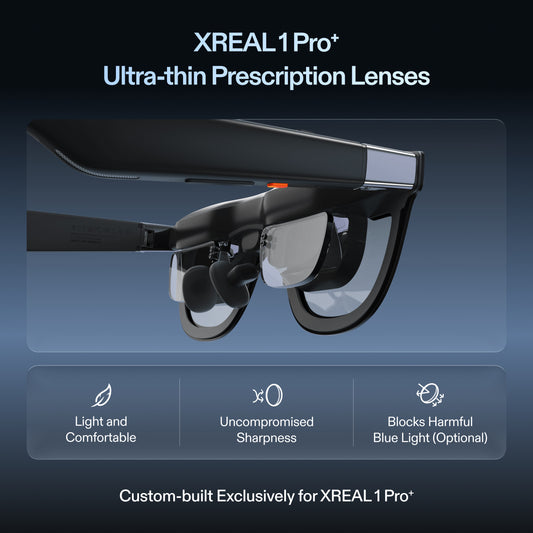
| Vision correction | Custom prescription lenses supported |
Official specifications and product information.
The official specification table lists a source-powered display with no built-in battery. Include the phone, computer or other video source in your power plan. Check the current UK package and price separately on the product page.
Pay attention to screen behaviour
XREAL documents a stabilisation feature for this model that requires a 120Hz source output. Stabilisation that reduces jitter should not be confused with native world-locked 3DoF screen anchoring. Check whether the available behaviour matches how you want to watch while reclining.
Test the position before settling on a model
Try a film with subtitles while resting in your normal position. Check temple pressure against the pillow, nose support and whether the whole image stays clear. A frame that feels comfortable upright can feel different when lying back. If prescription correction is needed, arrange compatible custom lenses rather than assuming the display can compensate for it.
Route the cable so that turning your head or sitting up does not pull on the frame. Keep the source somewhere stable and ventilated, and choose a supported charging arrangement if the film outlasts its available battery. Pause playback before adjusting the cable or getting out of bed.
Check sound and streaming separately
A private image does not guarantee quiet audio. Test the listening level with the other person nearby, or use appropriate headphones. Also test the specific service and app through the final video connection: protected content support is a property of the complete playback path, not a general promise made by the glasses.
Choose a supported source before buying a bedtime display
For a direct cable route, the source must provide the video protocol required by the glasses, not only charging over USB-C. The current XREAL support hub lists xbx a01+ as a separate product: use its model-specific instructions instead of applying another model's complete compatibility list to it.
For Netflix, the service's own display guide permits supported wired video connections but does not support iPhone/iPad AirPlay. Confirm the host's external-video specification, then test the intended app through the complete connection. A compatible port is necessary; it is not proof of protected playback.
While reclining, select a display mode that keeps the full film and subtitles visible without pressing the frame into the pillow. Pause before changing position, keep the source accessible and check audio with someone nearby. These are fitting and playback checks rather than evidence of measured all-night comfort.
FAQ
Do these glasses project onto the ceiling?
No. They provide a virtual image visible through the glasses. A projector is needed to cast a shared picture onto a physical ceiling.
Do they have their own battery?
The official xbx a01+ specification lists no built-in battery. They draw power from an external device, so check the source and any charging accessories.
Is stabilisation the same as a fixed spatial screen?
No. For this model, the documented stabilisation reduces jitter under supported conditions. It should not be treated as native world-locked 3DoF anchoring.