




Choosing XR glasses for screens and spatial apps
For a personal screen from a compatible phone, handheld or laptop, shortlist XREAL 1S; choose XREAL One Pro if its wider 57° view and two IPD sizes better match your eyes and workspace. For Android XR apps and Gemini running on a separate computing Puck, investigate XREAL AURA instead, with UK availability still to confirm. These are recommendations for different jobs: no single pair is best for every XR activity.
Match the device category to the job
| Your main task | Useful starting point | Trade-off to accept |
|---|---|---|
| Watch a film or play from an existing device | USB-C display glasses | The source runs the app and supplies the video |
| Read documents with a screen positioned in front of you | Glasses with native screen anchoring | Text clarity still depends on fit and display settings |
| Run spatial apps with hand interaction | Android XR computing eyewear or a compatible headset | App support and regional availability need checking |
| Share a presentation with someone beside you | A physical portable monitor | It occupies desk space but both people can see it |
These are different jobs, so a universal winner would hide useful compromises. An immersive headset can be preferable for enclosed virtual environments; lighter display glasses are a more direct purchase when an external screen is the entire requirement.
Three XREAL routes to compare
XREAL 1S for an existing entertainment device

XREAL 1S. Image: XREAL.
| XREAL 1S parameter | Published specification |
|---|---|
| Glasses weight | 82g excluding cable |
| Display resolution | 1200P, as advertised on the UK product page |
| Field of view | 52° as specified by XREAL |
| Refresh rate | Up to 120Hz; requires a supported source mode |
| Spatial display | X1 processing with native 3DoF |
| Input | Compatible USB-C video; some sources require powered adapters |
Official specifications and product information.
Choose this route when the phone or console already does the work and you want to change the viewing experience. Check the exact video port, cable and supported refresh rate before adding accessories. A USB-C connector alone does not establish video output.
XREAL One Pro for a positioned personal display

XREAL One Pro. Image: XREAL.
| XREAL One Pro parameter | Published specification |
|---|---|
| Glasses weight | 87g excluding cable |
| Display | Sony Micro-OLED |
| Field of view | 57° as specified by XREAL |
| Refresh rate | Up to 120Hz; source dependent |
| Spatial display | X1 processing with native 3DoF |
| Connection | Compatible USB-C video source |
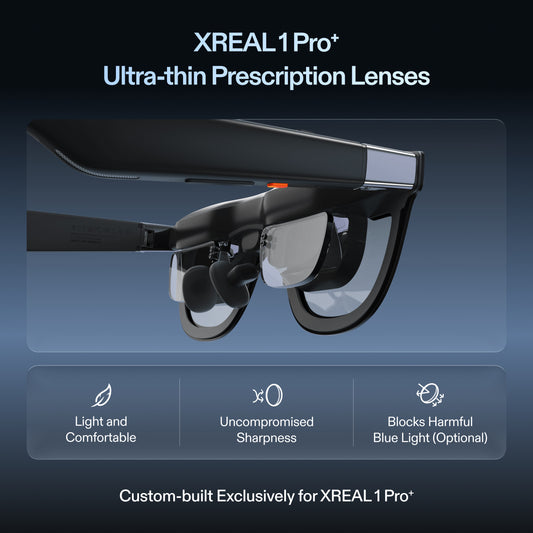
| Fit options | M and L; check the UK size selector and prescription insert requirements |
Official specifications and product information.
The wider view and native screen positioning make One Pro relevant to a laptop shortlist. A larger virtual canvas is still one display unless the host and its software explicitly create additional independent displays. Try your normal font size and spreadsheet density rather than judging only a cinematic demo.
XREAL AURA for Android XR

XREAL AURA. Image: XREAL.
| XREAL AURA parameter | Published specification |
|---|---|
| Glasses weight | 95g; separate Puck and accessories are additional |
| Platform | Android XR with Gemini integration |
| Architecture | Glasses connected to a separate computing Puck |
| Optics | Optical see-through; announced 70° field of view |
| Interaction | Announced hand tracking and spatial apps |
| Memory and storage options | 12GB / 256GB or 16GB / 512GB |
| UK purchasing | Confirm regional availability, local price and fulfilment before committing |
Official specifications and product information.
AURA uses a separate Puck to run its computing platform. Its Android XR app proposition differs from connecting conventional display glasses to an existing computer. The global AURA page lists initial launch regions without the UK, so do not treat a UK information page as a confirmed local delivery offer.
Check the complete setup before choosing
Write down the exact source device, required app, video connection, prescription needs and intended session length. Include adapters and prescription lenses in the total cost. Then check whether the complete setup can charge while connected and whether its cable reaches comfortably from your seat or desk. Advertised virtual screen diagonals depend on viewing assumptions and should not be treated as physical panel measurements.
A shortlist with explicit buying conditions
| Choose | The useful distinction | Verify before purchase |
|---|---|---|
| XREAL 1S | Existing-device entertainment; 1920 × 1200 per eye and 82g excluding cable | Source video output, prescription support and complete accessory cost |
| XREAL One Pro | 57° personal display with M/L IPD choices; 87g excluding cable | M covers 57–66mm and L 66–75mm; fit and readable text still need checking |
| XREAL AURA | Android XR computing on its Puck rather than just a display for another device | App support, UK availability and the entire glasses-plus-Puck setup |
The weights and resolution come from XREAL's device specification table. The UK One Pro listing supplies the fit choices. Google's AWE 2026 announcement independently identifies AURA as wired Android XR eyewear, not a universal replacement for every headset or external monitor.
Before comparing accessories, write down one priority: a film from your existing device, a positioned laptop display, or apps on Android XR. Then confirm the signal path and try subtitles or document text. This prevents paying for a computing platform when a display is enough, or buying a display when you actually need an app platform.
FAQ
Are XR glasses the same as AI glasses?
No. XR describes an extended reality experience, while AI describes software capabilities. Some glasses supply a screen, some primarily supply audio or cameras, and some combine a display with a computing platform. Check the actual hardware and apps.
Can one pair handle films and laptop work?
Potentially, if it accepts both sources and fits your vision. Films are more forgiving than dense text, so a comfortable movie demo does not establish that a full spreadsheet is readable.
Does a larger advertised screen guarantee a better picture?
No. Resolution, optical fit, field of view, scaling and source quality also matter. Choose using your own content and the published specification of the exact model.