




A portable workspace for browser tabs and documents
Use a laptop with XREAL One Pro as a personal external display when you want room for browser tabs and documents without placing another panel on a hot desk. Start with a wide desktop and arrange windows within it; do not assume that an ultrawide view creates separate OS monitors. Choose a physical second display instead when a colleague must see the same material or optical fit makes text difficult to read.
Choose the layout you actually need
| Layout | What it means | Suitable starting point |
|---|---|---|
| One larger display | One canvas with windows arranged inside it | External display plus normal window management |
| An ultrawide desktop | A wider canvas with documents side by side | Supported host output and an ultrawide display mode |
| Several independent virtual monitors | Separate displays recognised or managed by software | A specifically supported host and virtual display application |
| Shared review | Colleagues see the same document beside you | A physical screen or a deliberate screen-sharing workflow |
The first two layouts can already reduce constant window switching. Do not pay for a promised monitor count when a well-arranged single canvas would solve the problem. Conversely, if an app requires several independent displays, establish that requirement explicitly.
XREAL One Pro as the personal display

XREAL One Pro. Image: XREAL.
| XREAL One Pro parameter | Published specification |
|---|---|
| Glasses weight | 87g excluding cable |
| Display | Sony Micro-OLED |
| Field of view | 57° as specified by XREAL |
| Refresh rate | Up to 120Hz; source dependent |
| Spatial display | X1 processing with native 3DoF |
| Connection | Compatible USB-C video source |
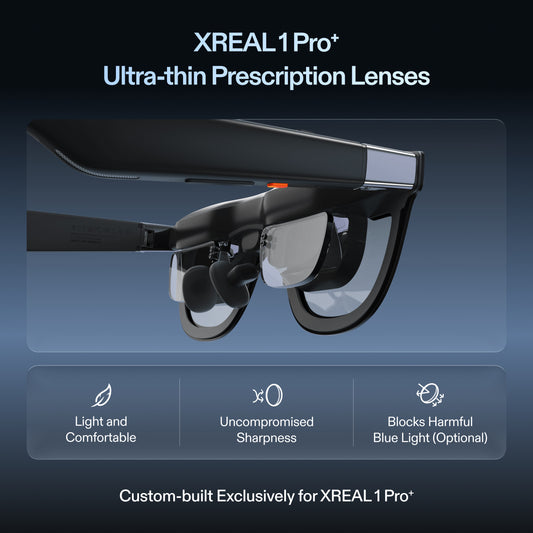
| Fit options | M and L; check the UK size selector and prescription insert requirements |
Official specifications and product information.
The official One Pro page describes native screen positioning and an ultrawide mode. These are display capabilities. They should not be taken as proof that every laptop will expose several independent external monitors through one connection.
Build a useful hot desk layout
Begin with two tasks that you regularly compare: a browser reference beside a document, or a spreadsheet beside a communication window. Increase text size until both remain readable, then adjust the window widths. More content on screen is useful only if you can read it without repeatedly leaning or resizing.
Keep the keyboard and pointing device comfortable. Glasses move the screen, but they do not provide a typing surface or make a cramped keyboard larger. Check where the cable falls when you reach for a drink, turn towards a colleague or close the laptop.
At the end of a session, verify that the host returns windows to its normal screen after disconnecting. A workspace that takes several minutes to recover every morning may be less convenient than a simpler layout. Test sleep, wake and reconnect as part of the buying decision.
Compare the other ways to gain space
A portable monitor offers a familiar physical screen, predictable window placement and easy collaboration. A software-only arrangement of virtual desktops adds no hardware, although it does not show all content simultaneously. Wearable glasses are useful when the personal screen and reduced surface requirement matter more than sharing the view.
For confidential work, distinguish reduced casual screen visibility from complete security. The host display, video calls, open speakers and the files themselves still need the usual workplace controls. Avoid claims that any wearable display makes an entire workflow private.
A reproducible laptop layout
XREAL's connection and feature table lists ultrawide support for Windows and MacBook, but not every phone configuration. A wide display mode and several independent OS monitors remain different capabilities; verify the chosen host, software version and mode.
Start with one source document, a browser reference and a communication window. Set a text size you can read at the edges, position the reference beside the document, and keep communication on the laptop panel if your OS display settings permit it. Save the arrangement, unplug, reconnect and check whether the layout returns. This tests the workflow that hot-desking actually repeats.
The UK One Pro page lists M for IPD 57–66mm and L for 66–75mm. The XREAL device table gives 87g excluding cable. Measure the full carried kit, including a case, and confirm legible text during a representative session rather than treating those specifications as an ergonomic guarantee.
FAQ
Does an ultrawide mode create multiple independent monitors?
No. An ultrawide desktop can hold several windows inside one display. Independent monitors require a separately supported host and software arrangement.
Can I keep my laptop screen active as well?
That depends on the laptop and display configuration. Check the exact host, operating system and intended connection mode before planning the layout.
Will glasses make small spreadsheet text easy to read?
Fit, prescription, scaling and window size all matter. Test a real spreadsheet at a useful text size rather than relying on a large-screen marketing image.