


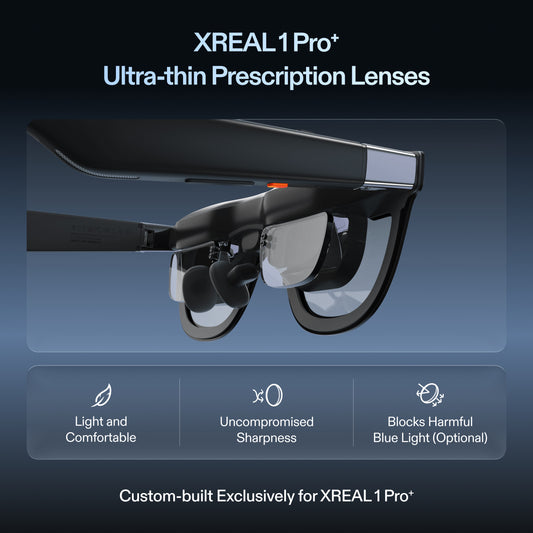


XREAL or a Portable Monitor for Spreadsheets: When the Premium Makes Sense
For basic spreadsheets, keep the cheaper portable monitor if it fits the table and shows your cells clearly. Pay a substantial XREAL premium only when avoiding a physical panel, travelling light or using a seated personal display solves a real problem for you. The 'three times' multiplier in the question is a budget assumption, not a verified current UK price comparison.
Model-specific images and specifications
Manufacturer specifications checked on 6 November 2026. Images identify the named models; they are not to scale. Maximum specifications do not establish the result of every source, mode or fitted setup. Foreign-store links below are technical references, not local availability or price offers.
XREAL One Pro
Source: XREAL · XREAL One Pro
| Parameter | Manufacturer specification |
|---|---|
| Field of view | 57° |
| Per-eye resolution | 1920 × 1080 |
| Maximum refresh rate | 120 Hz |
| Spatial positioning | Native 3DoF; X1 chip |
| Weight | 87 g |
| IPD sizes | M 57–66 mm; L 66–75 mm |
XREAL Air 2
Source: XREAL · XREAL Air 2
| Parameter | Manufacturer specification |
|---|---|
| Field of view | 46° |
| Display | 1920 × 1080 per eye |
| Maximum 2D refresh | 120 Hz |
| Weight | 72 g |
ASUS ZenScreen OLED MQ16AH
Source: ASUS · ASUS ZenScreen OLED MQ16AH
| Parameter | Manufacturer specification |
|---|---|
| Panel | 15.6-inch OLED |
| Resolution | 1920 × 1080 (Full HD) |
| Maximum refresh | 60 Hz |
| Net weight, no stand | 0.65 kg |
Specifications explain the trade-off
One Pro is specified at 87 g, 57° field of view, 1080p and up to 120 Hz, with native 3 DoF from its X1 chip. Air 2 is a different 72 g, 46°, 1920 × 1080-per-eye model. These figures are manufacturer specifications, not proof that a particular person can read a spreadsheet all day.
A genuine 4K panel has more source pixels than a 1080p image. Check the exact portable-monitor model rather than assuming every ASUS ZenScreen is 4K: MQ16AH is Full HD. Keep model, resolution and physical size in the price sheet.
Test the benefit you are paying for
| Your work | A sensible starting choice | What would justify changing it? |
|---|---|---|
| Basic spreadsheet at a usable desk | Portable monitor | Glasses remove a panel that genuinely prevents you working in the space |
| Coding with dense terminal text | Verified readable physical panel | Finished glasses/prescription setup preserves normal font and edge clarity |
| Aircraft or train tray | Trial the worn display | Complete power/cable kit and seated fit work for the journey |
| Sofa or bed with keyboard | Compare both real postures | The glasses solve screen placement without creating a poor keyboard position |
One Pro's native screen positioning is not a promise of several independent OS monitors. For an Air-plus-Beam setup, add the companion and all necessary leads to both cost and packed weight; the 72 g glasses figure is not the kit weight. For a pinned multi-window Mac setup, demonstrate current software on your exact machine before purchase.
Total-cost worksheet
Obtain a current local quote for the exact glasses, prescription route if needed, required video accessories, power, delivery and applicable checkout charges. Compare the complete working setup in one currency. This guide does not revalidate older local price examples.
Glasses take power from the source in direct use. No comparable laptop-battery percentage is established, so test the same workbook for the same period rather than quoting a generic runtime. For privacy, headphones and workplace data handling remain separate from keeping the principal image in your own view.
Choose the conventional panel for a simple, readable extra spreadsheet screen. Choose glasses after a fitted trial shows that removing the panel footprint is valuable enough to justify the complete UK price.
Continue planning the setup
Related guide: Packing a useful display for one bag travel
Verified product facts
| Parameter | Documented value / condition |
|---|---|
| XREAL One Pro | 57° field of view; X1 native 3DoF; up to 120 Hz |
| IPD sizing | M: 57–66 mm; L: 66–75 mm. Verify fit before ordering |
Product details are taken from the cited manufacturer documentation. Confirm the selected regional product and its current instructions.


XREAL Air 2 · manufacturer source
Frequently asked questions
Do two 1080p eye displays make a 4K computer desktop?
No. Sending the same 1920 × 1080 image to each eye does not create a 3840 × 2160 source desktop. Compare the actual source resolution and readable workspace.
Is the ASUS MQ16AH mentioned here a 4K monitor?
No. ASUS lists the ZenScreen OLED MQ16AH as 1920 × 1080 with a maximum 60 Hz refresh rate. It is a named Full HD physical-panel reference, not the 4K option.
When can a physical monitor be worth its extra bulk?
When its actual pixel workspace, shared visibility or unfitted viewing position is more useful for the task. Compare the exact monitor model rather than treating every portable monitor as identical.
How should I assess the One Pro or Air 2 premium?
Use the glasses model discussed in the article and test the same file, scaling, ports and correction setup. Value native positioning, table-space savings or a personal image only if they improve the work you actually do.
Can I predict laptop battery life from glasses weight?
No. Record the same task under matched settings with and without the display. Count source, accessories and power equipment as part of the kit; no universal runtime advantage is established here.
Sources and scope
- uk.shop.xreal.com/products/xreal-one-pro
- uk.shop.xreal.com/products/xreal-air-2
- uk.shop.xreal.com/blogs/guides/one-bag-travel-glasses-or-portable-monitor
- www.asus.com/us/displays-desktops/monitors/zenscreen/asus-zenscreen-oled-mq16ah/techspec/
- us.shop.xreal.com/products/xreal-air-2
- www.asus.com/uk/displays-desktops/monitors/zenscreen/asus-zenscreen-oled-mq16ah/techspec/