




120 Hz Handheld Display Glasses: Air 2, One Pro and the Complete UK Setup
XREAL Air 2 and One Pro both advertise up to 120 Hz for an appropriate 2D display path, so they belong on a PC-handheld shortlist. Air 2’s official specifications distinguish 120 Hz in 2D from 90 Hz in 3D. One Pro adds X1 and native 3DoF; Rokid Max 2 is another manufacturer-documented up-to-120-Hz option. Choose by the exact handheld’s output, optical fit and charging setup rather than treating the refresh label as measured game performance.
Choose the signal path before the refresh-rate badge
A supported Steam Deck or ROG Ally USB-C video path can connect directly with the appropriate glasses cable. An original Switch or Switch OLED in its TV dock instead starts with HDMI: it needs a powered HDMI-input-to-USB-C-video-output converter. A laptop cable labelled USB-C-to-HDMI usually converts in the opposite direction and is not an equivalent purchase. Switch Lite does not provide the original Switch TV-dock output.
Test the simple direct handheld connection first. Then add the intended charging/video accessory and confirm the external display mode remains available. Finally open the actual game and check its frame rate, text and HUD corners. This sequence identifies whether a limitation follows the game, display mode or added accessory; it does not assume that a 120 Hz panel makes every game render at 120 fps.
Start with the portable PC you own
XREAL’s Air 2 documentation lists Steam Deck and ROG Ally among its source examples. A suitable USB-C video path is simpler than converting a console’s HDMI. Select the external display mode the handheld and glasses both support, then check the game’s actual frame delivery. A game running below 120 fps can still be shown on a high-refresh display; the glasses do not create the missing rendered frames.
| Requirement | What to demonstrate |
|---|---|
| Video output | Exact handheld, video-capable cable and supported external mode |
| 120-Hz goal | 2D mode and complete path support, not only a product badge |
| Long session | Display operation while the intended charging adapter is connected |
| Packing | Glasses, cable, charging/video accessory and case together |
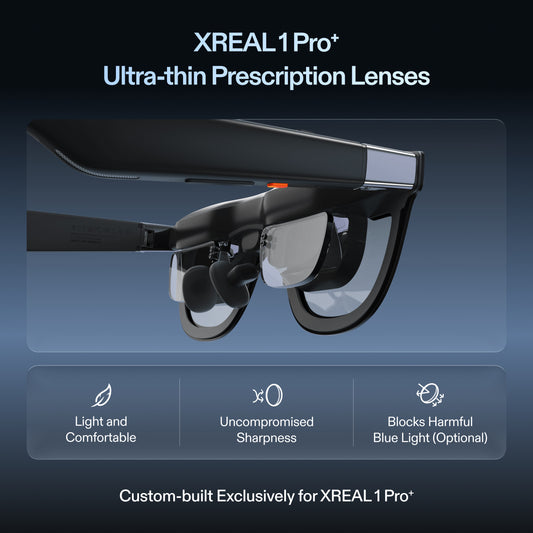
A charging hub must explicitly support the required video route as well as charging. Do not select a generic hub only by power wattage. The UK Air 2 catalogue price was GBP169–179 by variant and One Pro GBP529 at review; include the actual hub, correction and travel accessories needed by your setup.
Try the same game and text-heavy launcher on each candidate, including the seated posture you use on trips. Air 2 is the simpler XREAL entry for ordinary external display; One Pro is worth the comparison when its native spatial modes matter. Those are feature-based choices, not a claimed benchmark win over every alternative.
Model specifications
| Parameter | Documented information |
|---|---|
| Air 2 | 46° field of view; USB-C DisplayPort input |

Frequently asked questions
Does a 120 Hz mode make a 40 fps game run at 120 fps?
No. Display refresh and frames rendered by the game are separate. Check both the supported external display mode and actual game performance.
Can I use the same cable for a Steam Deck and an original Switch dock?
Not as an assumption. A compatible Deck can output USB-C video; the original Switch dock uses HDMI and needs the correctly directed powered converter for these glasses.
What should I test before buying a charging hub?
Video output while charging with your exact handheld, glasses and desired mode. A hub providing USB power alone is not proof that it carries the required display signal.
What is the meaningful One Pro advantage over Air 2 here?
The documented X1/native 3DoF feature set is a separate advantage to evaluate. Both advertise up to 120 Hz in appropriate 2D paths; fit, source compatibility and accessory requirements still decide the practical setup.