











Can XREAL Replace a Portable Monitor for Steam Deck? Choose the Job First
XREAL can be a useful long-term Steam Deck display when you want a personal image with little table space and the optical fit works for you. It is a weaker replacement when you need to share the screen, consult several physical devices or avoid wearing a display. The purchase is worthwhile if it solves your repeated gaming posture and packing problem; novelty alone is not a durable use case.
A three-session Steam Deck replacement test
For an existing Steam Deck owner, Air 2 can replace the portable screen you only use alone if its direct-video connection, text and fit work in your regular seat. Keep a portable monitor for shared viewing or when wearing the glasses repeatedly interrupts play. One Pro is worth comparing for its native X1 spatial functions; it is not needed simply to make Air 2's documented Steam Deck image appear.
| Proposed session | Concrete job | Decision to record |
|---|---|---|
| Normal game | Read HUD and subtitles during your usual play period | Can you play without repeatedly removing the glasses? |
| Launcher/settings | Read small menu text and change controls | Can you navigate at a comfortable scale without losing essential text? |
| Travel position | Use the intended cable, case and permitted power setup | Is the complete kit easier to use than the monitor and stand? |
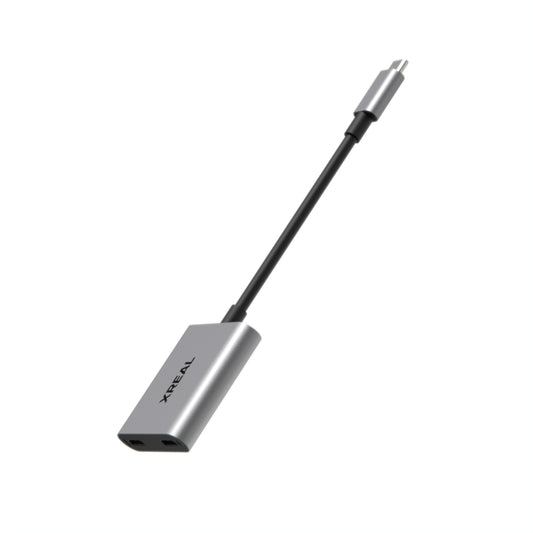
The UK XREAL Hub listing describes charge-and-display use. Treat it as a candidate accessory only after confirming your exact glasses/handheld combination and its documented supply. Do not buy a charge-only splitter expecting it to carry video. Air 2's up-to120Hz specification is a display limit, not a battery-runtime or game-fps promise. For a longer session, test the video and charging path together, record the starting/ending battery indication and the game settings, and compare that specific setup with your monitor. These are proposed checks, not a claimed benchmark.
Compare the recurring task
Air 2’s official listing names Steam Deck, 72 g and up to 120 Hz in 2D. Those facts explain why it belongs in the comparison; they do not measure your Deck’s game fps or battery runtime. One Pro adds native X1 spatial modes. A portable monitor supplies a visible panel for others, but also brings a stand, power path and its own packing volume.
| Repeated situation | Glasses advantage to evaluate | Reason to keep a monitor |
|---|---|---|
| Small seat or bedside gaming | Personal view without resting a panel on a table | Fit or cable routing is uncomfortable |
| Hotel desk with another person | Private individual display | You want to point at a shared screen |
| Longer session | Your verified fit and permitted source/charging route | Nose/temple pressure or reading is a problem |
Make the first week meaningful
Choose three real sessions: your normal game, the text-heavy launcher/settings and the travel posture you intend to use. Record which source, cables and charging adapter were required, whether text was readable and when you wanted to remove the glasses. Do not count a single impressive video as evidence that the kit replaces every monitor task.
For a fair comparison, pack the case, cable, power accessory and any correction you need on the glasses side and the full stand/cable/power kit on the monitor side. Reuse the display that performs your frequent task with acceptable setup effort. If the glasses keep returning to the drawer after those planned sessions, retain the physical screen instead of buying more accessories to justify a sunk cost.
Model specifications
| Parameter | Documented information |
|---|---|
| One Pro | 57° field of view; X1 native 3DoF; up to 120 Hz |
| One Pro IPD options | M: 57–66 mm; L: 66–75 mm |
| Compatibility | Video-capable source, correct adapter direction and documented power path |

Frequently asked questions
Do I need original Beam just to use Air 2 as a Deck display?
Start with the documented direct-video path. Add spatial hardware only when you need its particular supported mode; Beam Pro running Android apps is not the same as a wired video accessory.
How do I charge during a longer session?
Choose a video/charging adapter explicitly supported for the exact glasses and handheld, with its required supply. Demonstrate image and charging together before relying on it for travel; a charging-only splitter is insufficient.
What would show that the glasses are not replacing my monitor?
If your real game, small launcher text or normal posture repeatedly sends you back to the physical screen, keep that screen. Avoid adding accessories solely to justify hardware you are not using.
Does a120Hz setting improve every Steam Deck game?
It only selects an available display mode. Actual fps depends on the game and source settings. Record display refresh and game fps separately when judging the purchase.