




Assessing wearable monitor glasses for productive work
XREAL One Pro is a strong shortlist option for productivity when you want a personal laptop display with native screen positioning, a 57° view and a choice of IPD fit. It is an external display for your computer, not a replacement operating system or a guarantee of independent virtual monitors. Choose it after a repeatable text-and-input test; use a physical monitor when sharing, optical fit or a required desktop workflow makes that more useful.
Define a useful working session
Start with an outcome such as editing a document while referring to a browser, reviewing a spreadsheet, or working through a coding task. Specify which content must remain visible at the same time. This gives you a practical basis for comparing a wearable display with an external monitor or a software-only window arrangement.
| Work requirement | Useful check | Reason it matters |
|---|---|---|
| Text clarity | Read normal symbols and small column labels | Films do not test dense text |
| Stable layout | Position the screen and change applications | Display behaviour should match your working posture |
| Multi-window work | Arrange the required windows at a readable size | More windows are not useful if text becomes too small |
| Input | Type, point, select and use shortcuts | The screen is only one part of the workspace |
| Continuity | Sleep, wake, disconnect and reconnect | Daily friction can outweigh a larger viewing area |
XREAL One Pro specifications

XREAL One Pro. Image: XREAL.
| XREAL One Pro parameter | Published specification |
|---|---|
| Glasses weight | 87g excluding cable |
| Display | Sony Micro-OLED |
| Field of view | 57° as specified by XREAL |
| Refresh rate | Up to 120Hz; source dependent |
| Spatial display | X1 processing with native 3DoF |
| Connection | Compatible USB-C video source |
| Fit options | M and L; check the UK size selector and prescription insert requirements |
Official specifications and product information.
The official product information describes native 3DoF display behaviour and an ultrawide option. A positioned screen or a wider desktop is not automatically several independent virtual monitors. Verify the host and any required software if that distinction matters to your apps.
Test the parts of work that demonstrations skip
For coding, inspect punctuation and narrow characters as well as large text. For spreadsheets, read row and column headings, follow a formula and select cells near the edges. For documents, compare two passages and check whether cursor placement remains easy. Adjust the scale before deciding how much usable working area you have.
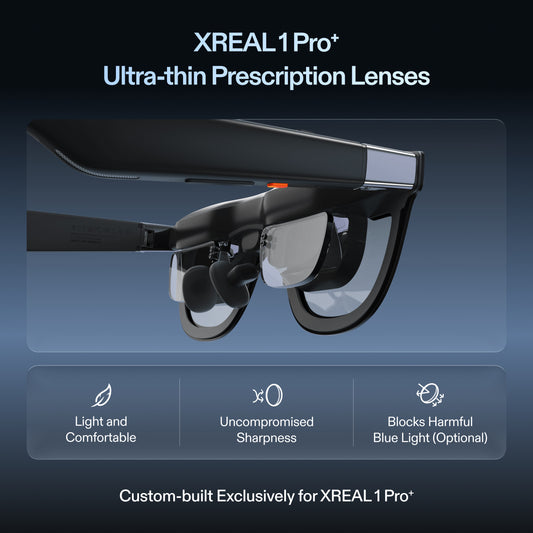
Pay attention to prescription needs, nose support and the clarity of the full image. A higher refresh rate cannot compensate for a poor optical fit. Break up a trial into normal work periods, and stop or adjust the setup if it becomes uncomfortable. Avoid treating a manufacturer's comfort claim as a guarantee for every working day.
Compare alternatives for the work itself
A physical monitor is easier to share and does not require wearing optics. A laptop on its own is simplest for quick tasks and avoids extra connection steps. Glasses can suit individual work when desk space is limited and a flexible personal screen is useful. None of these choices eliminates the need for a comfortable keyboard position.
If work requires confidential content, handle privacy through the full system. Check the laptop's own screen, call sharing settings and audio. If work requires a particular operating system or desktop app, keep that host requirement explicit rather than assuming a wearable screen changes software compatibility.
Make a shortlist from fit, output and working layout
| Decision | Published detail or test |
|---|---|
| Fit size | One Pro M covers 57–66mm IPD; L covers 66–75mm |
| Head-worn component mass | 87g excluding cable |
| Supported laptop connection | Use a video-capable USB-C/DisplayPort source; confirm the exact model and software |
| Useful working layout | Test the actual document, pointer target and reconnect behaviour before replacing a monitor |
The fit sizes come from the UK One Pro listing, mass from XREAL's device table, and host/mode boundaries from the One-series connection guide. A larger view does not establish better text readability for every wearer.
Run a repeatable acceptance session: read the smallest text you normally use, edit a real file, select a spreadsheet cell at the edge, use a keyboard shortcut and reconnect after moving seats. Keep the laptop workload and display settings constant when comparing battery drop over equal timed sessions. These are proposed checks, not measured productivity gains, ergonomic-study results or host battery benchmarks.
If the workflow passes, use the One Pro product link below to confirm the correct fit size and current UK package. If it fails, identify whether the missing requirement is optical fit, a physical shared screen or software that supplies truly separate monitors; changing display size alone will not fix all three.
FAQ
Can wearable glasses support a full working day?
Suitability varies with fit, prescription, task and session length. Test representative work with breaks and check the current return arrangements before replacing an established setup.
Do I need several virtual monitors for productivity?
Not always. A readable wider canvas with organised windows may be sufficient. Independent monitors are a separate requirement that needs specific host and software support.
Will the glasses run my work apps themselves?
One Pro is a display used with a supported source. The connected computer remains responsible for its work apps and operating system.